



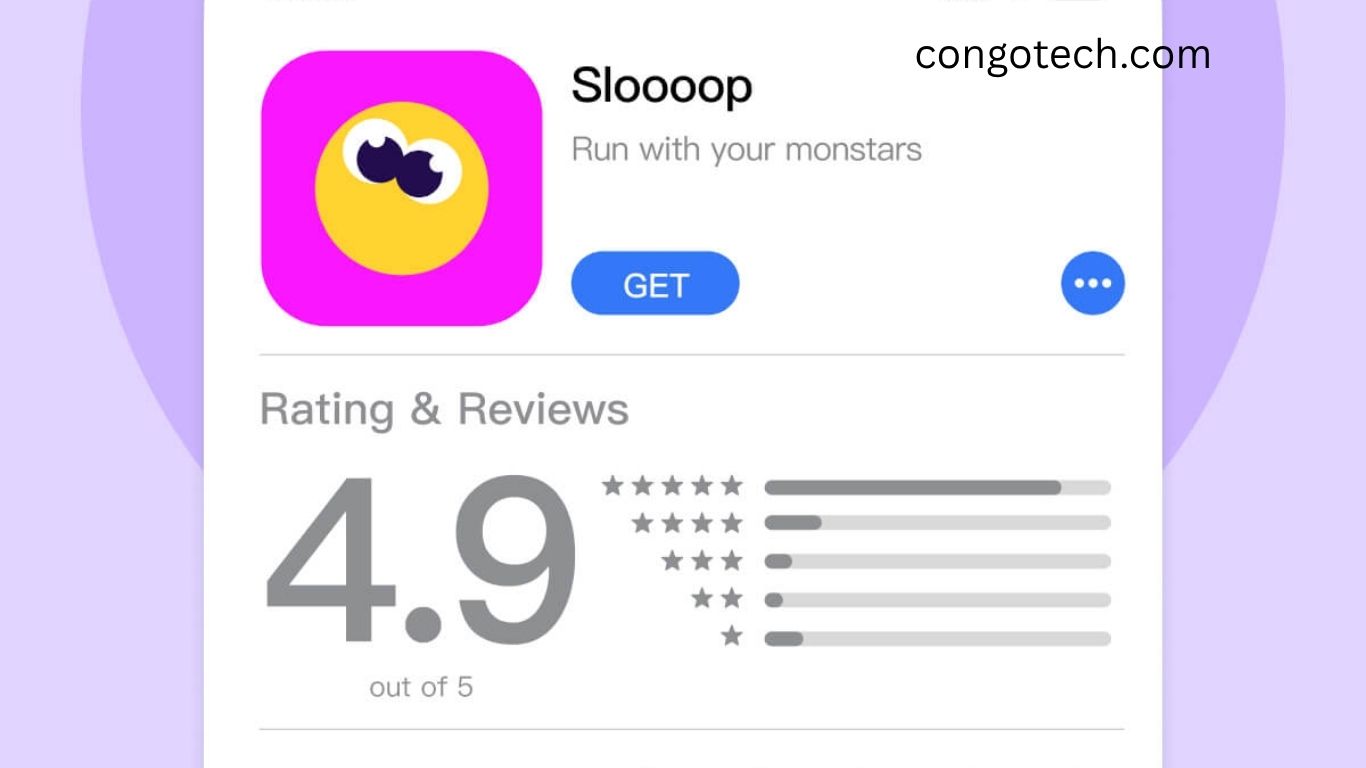
In today’s highly competitive mobile app market, app ratings and reviews are more influential than ever. According to Alchemer, 59% of users always check them before deciding to download an app. Both the quantity and quality of ratings matter: a high number of positive reviews builds trust, establishes credibility, and helps your app stand out.
But how do you encourage users to leave positive feedback? While a satisfied user might not always share their experience, prompting them effectively is crucial for your app’s success. This guide explores why app ratings and reviews matter and how to improve them organically on Apple App Store and Google Play.
Read More: Free Fire Unleashed: The Definitive, Heart-Pounding Guide to Dominating the Battle Royale Arena
What Are App Ratings and Reviews?

App ratings are the one-to-five-star scores users leave on app marketplaces, which collectively determine your app’s average rating. Reviews allow users to provide detailed feedback on their experience, offering valuable insights for improvements. Apple and Google prioritize different reviews in their algorithms, which we’ll cover later.
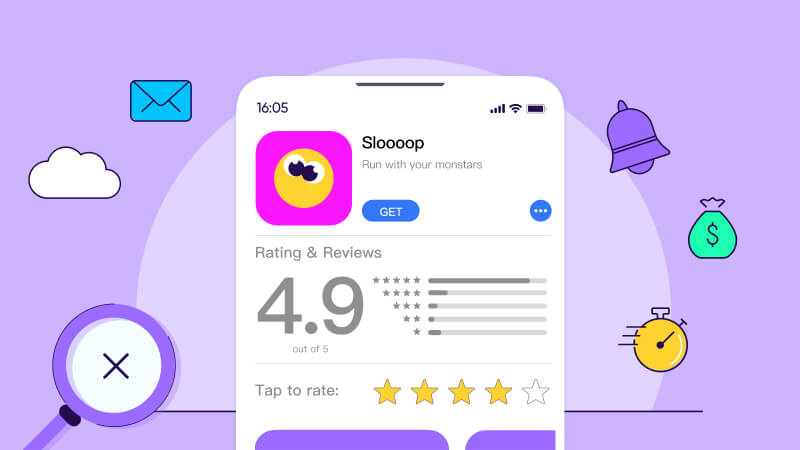
Checking your app rating is simple. Both stores display your average rating alongside individual reviews, and you can respond directly to users to show engagement, gratitude, or address concerns.
Why App Ratings and Reviews Matter
App ratings and reviews are critical for marketing and growth:
- Influence downloads: High ratings signal quality, making users more likely to install your app.
- Feedback for improvement: Reviews reveal user pain points and desired features.
- Engagement opportunities: Responding builds rapport and loyalty.
- Social proof: Positive ratings enhance credibility and can be highlighted in marketing campaigns.
- ASO benefits: High ratings improve App Store Optimization, boosting visibility in search results.
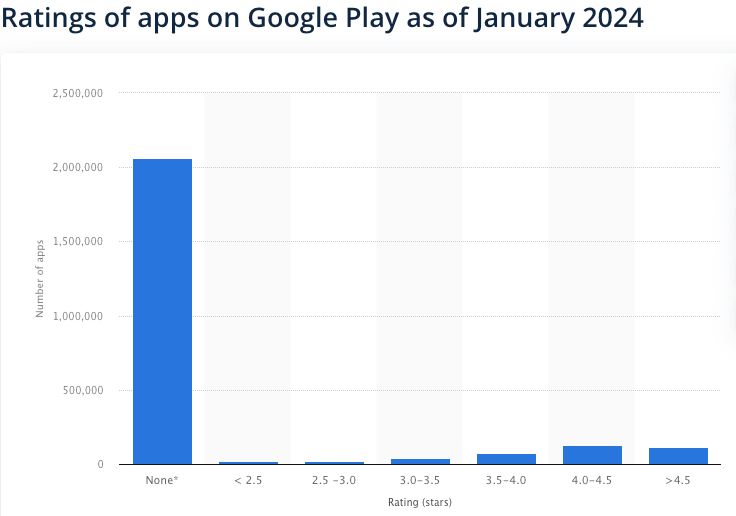
Consider this: the Google Play Store hosts over 3.3 million apps, but only about half a million have been rated. Many apps have three or fewer reviews, making them nearly invisible. Your goal is to be among the 114,000+ apps rated 4.5 stars or higher.
What Constitutes a Good App Rating?
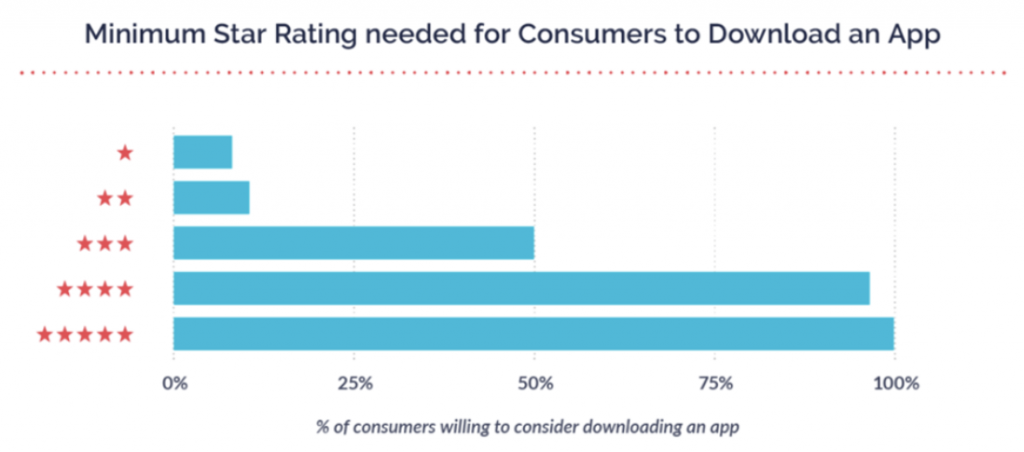
Alchemer reports that only 50% of users consider apps rated three stars, while ratings below three stars are often disregarded. Aim for an average of four stars or higher to increase downloads. For example, improving an app from three to four stars can drive an 89% increase in conversion rates.
However, quantity matters as much as quality. One five-star review won’t outweigh hundreds of reviews averaging 4.5 stars. A robust mix of quantity and quality is key to credibility.
The Role of Ratings and Reviews in ASO

App Store Optimization (ASO) functions similarly to SEO. High-quality ratings signal relevance and usefulness, improving your app’s ranking in search results. Increased visibility drives traffic and ultimately leads to more downloads.
Benefits of Strong Ratings and Reviews
- More app store traffic: Higher-rated apps attract more clicks and better keyword rankings.
- Positive branding: Good reviews enhance your app’s reputation and build trust.
- Improved conversion rates: Users are more likely to install apps with positive feedback.
- Higher in-app revenue: Increased downloads translate to greater opportunities for in-app purchases, ads, or subscriptions. Top-rated apps are projected to generate up to $613 billion in global revenue by 2025.
- Stronger rapport and trust: Responding to reviews demonstrates commitment to user satisfaction.
Apple App Store vs. Google Play Store

While both platforms use one-to-five-star ratings and highlight reviews, there are notable differences:
App Ratings
- Apple: You can reset your average rating with a new update, though old reviews remain visible.
- Google Play: Ratings are based on the current app version; users can update their ratings, and older feedback gradually weighs less.
App Reviews
- Apple: Highlights a selection of six reviews, which can include older feedback, sometimes negative.
- Google Play: Highlights the most positive and most critical reviews, and indexes user review content for keyword relevance.
Keywords in Google Play reviews can improve search rankings, while Apple provides a separate field for app-specific keywords in the listing.
How to Improve Your App Ratings and Reviews
Focus on App Quality
Your app’s features and performance directly impact reviews. Apps that meet user needs receive positive feedback, while poorly performing apps attract negative reviews and uninstalls. Continuous improvement is the first step toward higher ratings.
Prompt Users to Leave Reviews
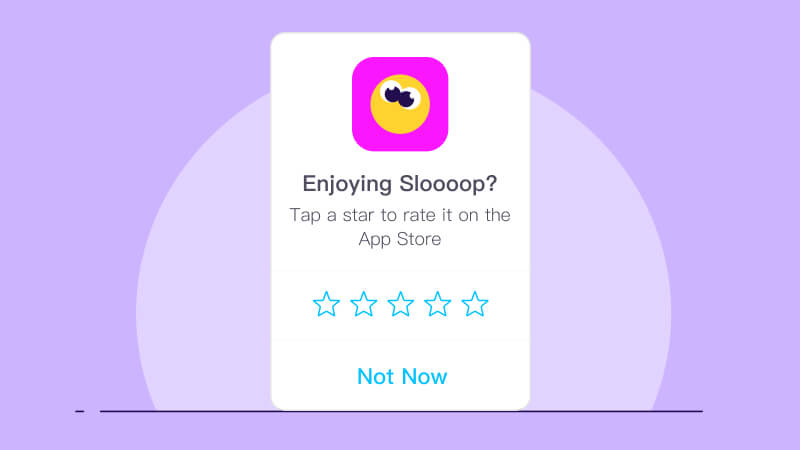
Encourage at least 1% of users to rate your app. Ask at strategic moments, such as after a purchase or milestone, using push notifications or personalized in-app prompts. Older users can update past negative reviews, improving overall ratings.
Release Frequent Updates
Respond to feedback by fixing bugs or adding features. Notify users of updates to show responsiveness, which often results in better reviews and stronger loyalty. Monitor ratings after updates to identify trends and address issues promptly.
Simplify the Review Process
Make it easy for users to leave feedback:
- Embed review prompts naturally in the app experience
- Use push notifications or emails strategically
- Target active and satisfied users for the best feedback
Time Your Requests Strategically
Ask for reviews when users are most likely to be satisfied. Avoid requesting feedback during negative experiences or interruptions. Triggers such as completed orders, achievements, or milestones work best.
Respond to User Feedback Effectively
Responding to reviews can boost ratings by +0.7 points. Best practices include:
- Be respectful and professional
- Personalize responses
- Address concerns clearly
- Avoid defensiveness or marketing jargon
Acknowledging and resolving issues shows users you care and often converts negative reviews into positive ones.
Leverage Other Channels
- Contests: Encourage reviews with incentives.
- Website: Promote app ratings via your site, especially for new apps.
- Social media: Use influencers and communities to drive feedback.
- Transactional emails: Ask for reviews post-purchase or post-interaction.
Analyzing and Understanding Reviews
Assign Responsibility
Designate someone to monitor ratings and reviews consistently.
Categorize Reviews
Organize feedback into positive and negative categories and look for recurring themes.
Request Clarification
Reach out to users when reviews lack detail. Engaging outside the app store can result in actionable insights.
Translate Non-Native Reviews
Understand and respond to global users in their language to improve engagement and satisfaction.
Track User Preferences
Identify which features users love or dislike. This informs app improvements and ASO strategy by revealing search behavior and keywords used in reviews.
Frequently Asked Questions:
Why are app ratings and reviews important for conversions?
App ratings and reviews build trust, influence downloads, and improve visibility in app stores, directly boosting organic conversions. Positive feedback acts as social proof that encourages users to install your app.
How can I increase my app rating organically?
Focus on improving app performance, offer value-driven features, ask satisfied users to leave reviews, respond promptly to feedback, and release regular updates to enhance user experience.
What is a good app rating to aim for?
An average rating of 4 stars or higher is ideal. Apps with 4+ stars see significantly higher downloads and conversion rates compared to apps rated below 3 stars.
How does app store optimization (ASO) impact ratings and reviews?
High ratings improve your app’s ASO, helping it rank higher in search results. More visibility attracts downloads, which can lead to even more ratings and reviews—a positive feedback loop.
When is the best time to ask users for reviews?
Request feedback after users have had a positive experience, such as completing a task, reaching a milestone, or receiving an order. Timing your prompts increases the likelihood of positive reviews.
Should I respond to negative reviews?
Yes. Responding professionally and promptly to negative feedback shows you care about your users, can convert unhappy users into loyal ones, and improves your app’s overall reputation.
Can updates affect my app rating?
Absolutely. Regular updates that fix bugs, improve features, or enhance performance can boost user satisfaction, leading to higher ratings and more positive reviews.
Conclusion
Boosting your app ratings and reviews is essential for achieving higher organic conversions, increasing visibility, and building trust with users. By focusing on app quality, strategically prompting satisfied users, responding effectively to feedback, and leveraging multiple channels, you can drive more downloads and improve overall app performance. High ratings and positive reviews not only enhance your app’s credibility but also strengthen your ASO strategy, creating a sustainable growth loop. Implement these proven organic strategies consistently, and you can skyrocket your app’s success—transforming satisfied users into loyal advocates and achieving up to 89% higher conversions.
