



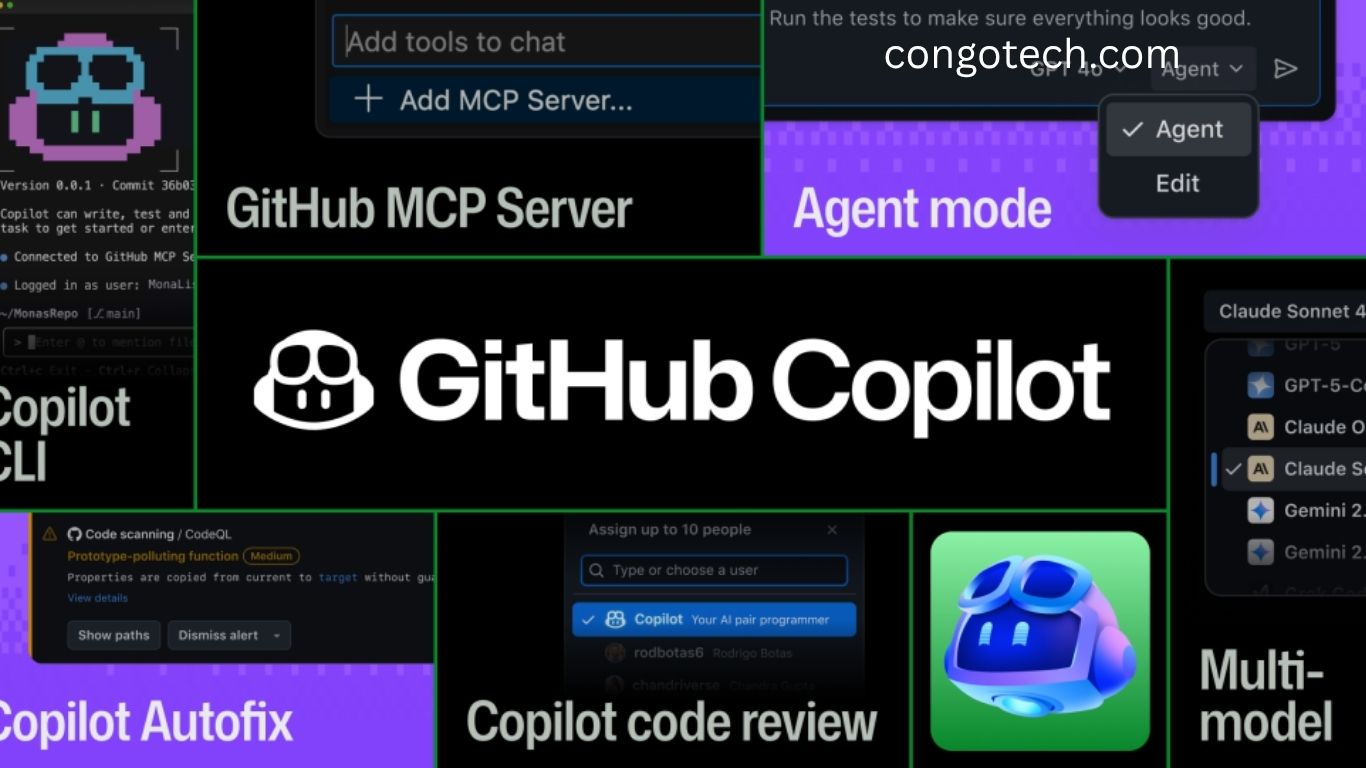
When GitHub Copilot first appeared in code editors, it felt like magic — that small gray box predicting your next line of code was fast, sometimes strange, but undeniably powerful. It marked the beginning of something bigger: a future where artificial intelligence doesn’t just autocomplete your code, but collaborates with you to write, test, and ship better software.
Read More: 15 Must-Read Data Science Books to Supercharge Your Skills and Ignite Your Learning Journey
The AI Evolution in Coding
Today, AI has become a core part of software development. From Cursor and Windsurf to Claude Code, Gemini, and OpenAI Codex, developers have more choices than ever. Yet, among the 20 million-plus developers working across IDEs, terminals, and pull requests, GitHub Copilot remains the most widely used AI tool.
According to a recent Pragmatic Engineer survey, developers have accepted over 3 billion Copilot code suggestions so far. Every month, Copilot supports millions of code reviews and contributes to 1.2 million pull requests — directly within GitHub, where most of the world’s code already lives.
Because GitHub hosts not just your repositories but also your reviews, tests, and workflows, Copilot extends beyond code generation. Through the GitHub MCP Server, it connects to every part of your development process, making your workflow seamless and efficient.
GitHub didn’t rush to market or chase trends. The team has been building Copilot long before ChatGPT existed, with a single purpose: turn developers’ TODOs into committed code.
From Autocomplete to Collaboration
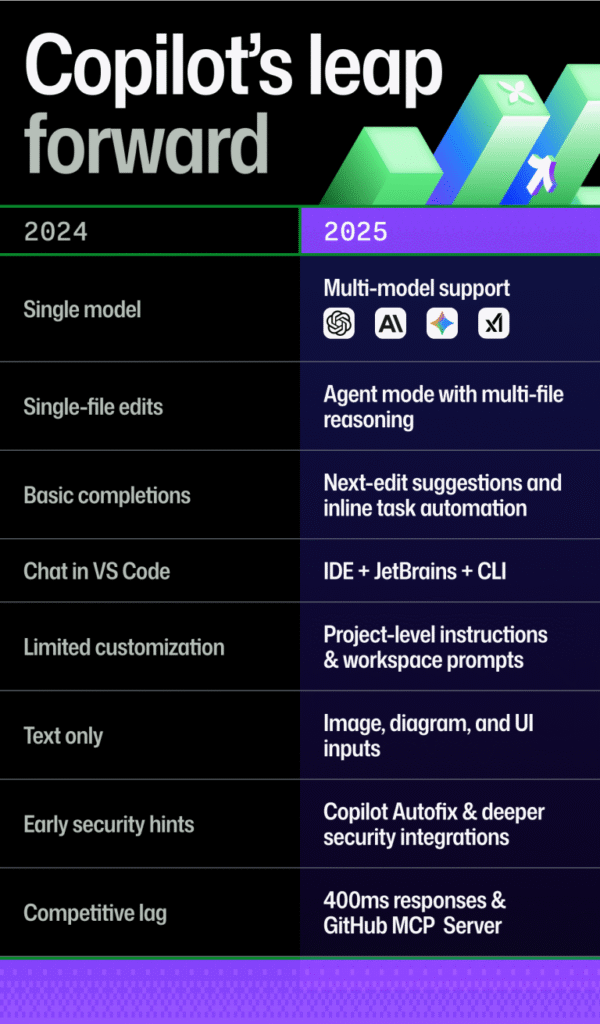
If 2024 was about exploring what AI could do, 2025 is about making AI practical, fast, and reliable. Copilot has evolved from a simple autocomplete tool into a multi-modal, multi-model AI assistant that understands your project, your codebase, and how you work.
After expanding support for multiple AI models in 2024, GitHub began integrating the latest releases from OpenAI, Anthropic, and Google, including Gemini 2.0 Flash. This evolution came directly from developer feedback — requests for better reasoning, agentic workflows, and multi-file editing drove major improvements.
Today, Copilot is smarter, more adaptive, and deeply integrated — without extra installations or complex setup. It’s built right into the platforms developers already use every day.
Deeply Integrated into Your Workflow
Every major AI company wants to integrate their coding assistants into GitHub — because that’s where real development happens. Agents can’t write or ship code in isolation. They need to plan tasks, open branches, run tests, and submit pull requests — all of which happen inside GitHub.
That’s where Copilot’s deep integration gives it an unmatched edge. It runs within the GitHub ecosystem and has native MCP server support, so its agentic capabilities work within your repository context. It respects branch protections, participates in your review cycles, and connects with your CI/CD and security pipelines.
With Copilot, your AI assistant doesn’t just write code — it becomes part of your end-to-end development process.
From Idea to Merge in Record Time
Speed defines today’s AI tools, and GitHub Copilot has set new standards in performance and automation.
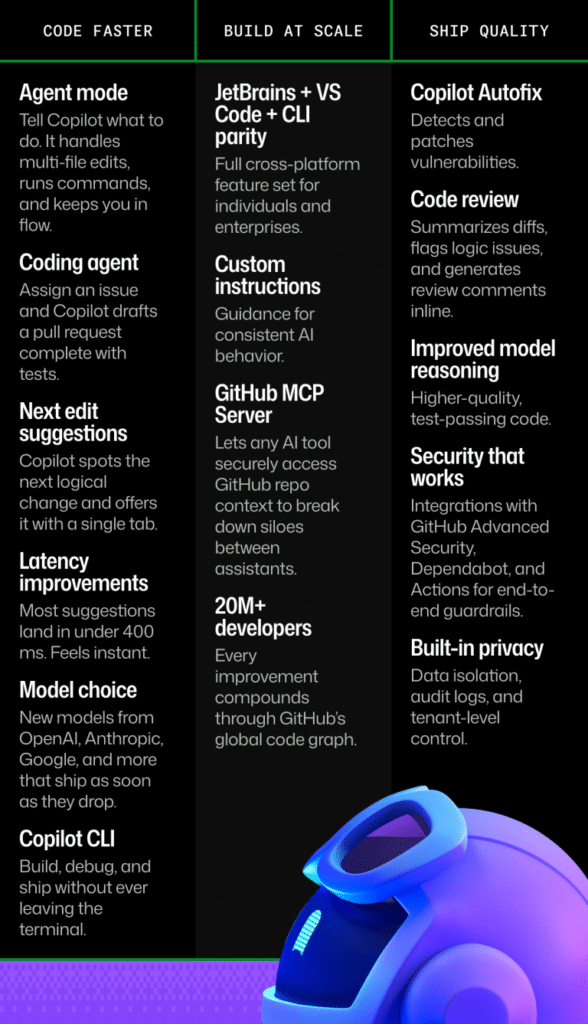
- Agent Mode: Copilot handles multi-file edits, runs commands, refactors modules, and manages terminal operations — all inside your editor.
- Coding Agent: Assign an issue to Copilot, and it drafts a pull request with complete code, context, and tests. It already contributes to 1.2 million PRs per month.
- Next-Edit Suggestions: Copilot predicts your next logical edit and offers it inline — a single keystroke away.
- Lightning-Fast Responses: Most completions appear in under 400 milliseconds, so your flow never breaks.
- Copilot CLI: Bring the same AI power to your terminal for debugging, setup, and automation.
- Multi-Model Routing: Choose the best AI model for each coding task — OpenAI, Gemini, or others — within the same workflow.
The result is a smoother, faster, and smarter workflow that keeps pace with your thinking, not the other way around.
AI That Scales with Developers
GitHub Copilot is designed to grow with your workflow, not replace it. It fits naturally into the environments developers already know — whether that’s JetBrains, VS Code, or the command line.
Key scaling features include:
- Custom Instructions: Add a .copilot-instructions.md file to teach Copilot your coding style, frameworks, and naming conventions.
- GitHub MCP Server: Securely connect any AI tool to your GitHub context — issues, pull requests, and actions.
- Workspace Prompt Files: Create reusable prompt templates for consistent AI guidance across teams.
- 20M+ Developer Ecosystem: Each Copilot update benefits from global developer data and feedback.
Copilot isn’t an external plugin — it’s a core part of GitHub’s full-stack development platform. Other AI tools help you code. Copilot helps you build, test, secure, and ship software.
Smarter, Cleaner, and Safer Code
Speed matters, but correctness matters more. GitHub has quietly strengthened Copilot’s code quality, reliability, and security guardrails to ensure developers can trust every suggestion.
- Copilot Autofix: Detects and patches vulnerabilities automatically — over one million fixes this year alone.
- Intelligent Code Review: Summarizes diffs, flags logic errors, and suggests fixes right in your pull requests.
- Improved Model Reasoning: Produces test-passing, lint-free code that’s more readable and maintainable.
- CodeQL + Dependabot Integration: Ensures supply chain security and automatic vulnerability detection.
- Enterprise Privacy Controls: Tenant isolation, audit logs, and compliance tools keep data fully protected.
Internal studies show code written with Copilot achieves higher readability and reliability than manually written code. It’s built on the same secure foundation that protects GitHub’s open-source network and 90% of Fortune 100 companies.
Copilot vs. The Competition
There’s no shortage of impressive AI coding tools today, but what sets Copilot apart is where it lives and how it works.
Copilot operates within GitHub itself, where developers manage millions of pull requests and workflow runs daily. It’s part of the same ecosystem — your repositories, reviews, and CI/CD pipelines.
Competing tools might help you write code faster, but Copilot helps you deliver production-ready software.
Here’s what that means for developers:
- No migration needed: Use your current IDEs and GitHub setup — no extra tools required.
- Full-Stack Awareness: Copilot understands your pull requests, tests, and workflows in one continuous process.
- End-to-End AI Support: From ideation to deployment, Copilot automates every step of the development lifecycle.
Frequently Asked Questions:
What is the new GitHub Copilot?
The new GitHub Copilot is an advanced AI-powered coding assistant that helps developers write, review, and deploy code faster. It uses multiple AI models to provide accurate suggestions, automate tasks, and streamline workflows directly within GitHub and popular IDEs.
How is the updated Copilot different from the original version?
The latest Copilot goes beyond simple code completion. It now supports multi-file editing, project-wide reasoning, and agentic workflows. It can manage issues, generate pull requests, and even refactor code — transforming it from an autocomplete tool into a true AI collaborator.
Which platforms and tools does GitHub Copilot support?
Copilot integrates seamlessly with Visual Studio Code, JetBrains IDEs, and the GitHub CLI. It’s built directly into the GitHub ecosystem, connecting with your repositories, pull requests, CI/CD pipelines, and security checks for an uninterrupted workflow.
Does Copilot use multiple AI models?
Yes. Copilot employs a multi-model system, routing tasks to the best AI model for each scenario. It supports models from OpenAI, Anthropic, and Google, including advanced releases like Gemini 2.0 Flash, ensuring top-tier speed and precision.
Is Copilot safe and secure for enterprise use?
Absolutely. GitHub Copilot is backed by the same enterprise-grade security infrastructure that protects the world’s largest open-source ecosystem. It includes features like Copilot Autofix, CodeQL integration, audit logs, and tenant isolation to keep code and data private.
Can Copilot automatically fix bugs or vulnerabilities?
Yes. The Copilot Autofix feature detects and patches vulnerabilities automatically. It has already been used to fix over a million security issues, helping teams maintain cleaner, more secure codebases.
Does GitHub Copilot work offline or require cloud connectivity?
While Copilot primarily runs in the cloud to leverage the latest AI models and training data, it integrates smoothly with your local development environment. GitHub is continuously exploring ways to improve performance and privacy across all setups.
Conclusion
The all-new GitHub Copilot redefines what it means to code with AI. Smarter, faster, and deeply integrated into your workflow, it’s more than just a coding assistant — it’s a true development partner. From automating tasks and fixing vulnerabilities to understanding entire projects, Copilot empowers developers to focus on creativity, not complexity. As GitHub continues to enhance Copilot with multi-model intelligence and enterprise-grade security, one thing is clear: the future of software development is collaborative, intelligent, and powered by Copilot.
