



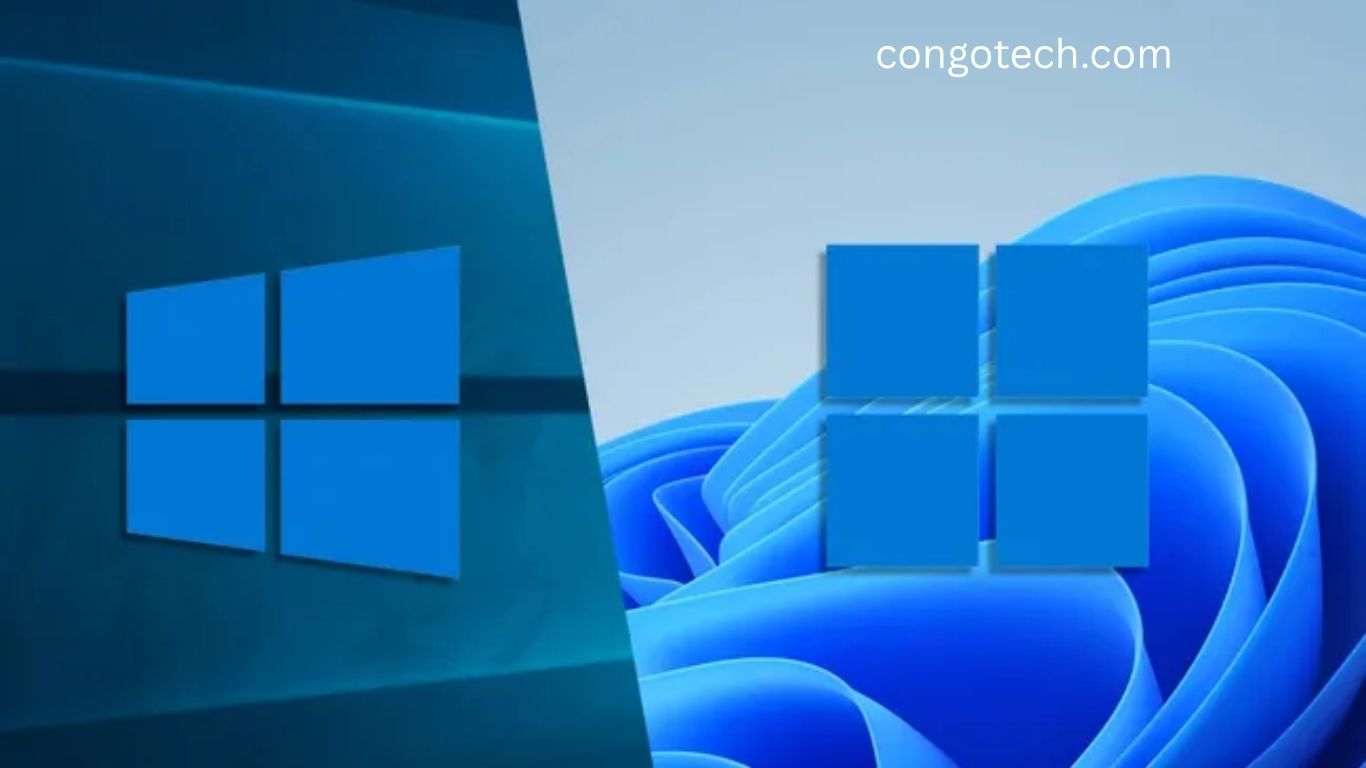
After a decade of service, Microsoft is finally ending support for Windows 10. With that change comes a new chapter in PC history — Windows 11, a modern, AI-driven, and security-focused operating system that redefines what it means to work, play, and create on your computer.
But is upgrading worth it? And can your device even handle it? This in-depth guide explores what’s truly new in Windows 11 — from sleek design and AI integration to gaming power-ups and enhanced multitasking — while highlighting why it’s both exciting and controversial.
Read More: AI’s Takeover Is Devastating Wikipedia’s Human Touch in 2025
Upgrade Dilemma: Can Your PC Handle Windows 11?
Before getting too excited about the new features, there’s one major question: Can your PC upgrade?
Microsoft has significantly tightened system requirements for Windows 11. Your device must include a Trusted Platform Module (TPM) 2.0 chip and a 64-bit processor no older than Intel’s 8th generation or AMD’s Ryzen 2000 series.
These rules leave millions of otherwise capable PCs behind. When Windows 10 support ends on October 14, 2025, older devices will lose security updates — forcing users to choose between upgrading hardware or risking cybersecurity threats.
While frustrating, Microsoft’s move is rooted in its mission to make Windows more secure. TPM chips verify hardware integrity and protect sensitive data at the firmware level. Combined with features like Secure Boot and Virtualization-Based Security (VBS), Windows 11 acts like a digital immune system, shielding users from malware and ransomware.
Yes, the new requirements create e-waste concerns and financial hurdles. But for those upgrading, they bring genuine peace of mind and far better protection against modern cyberattacks.
A Fresh Look: The Polished Windows 11 Interface
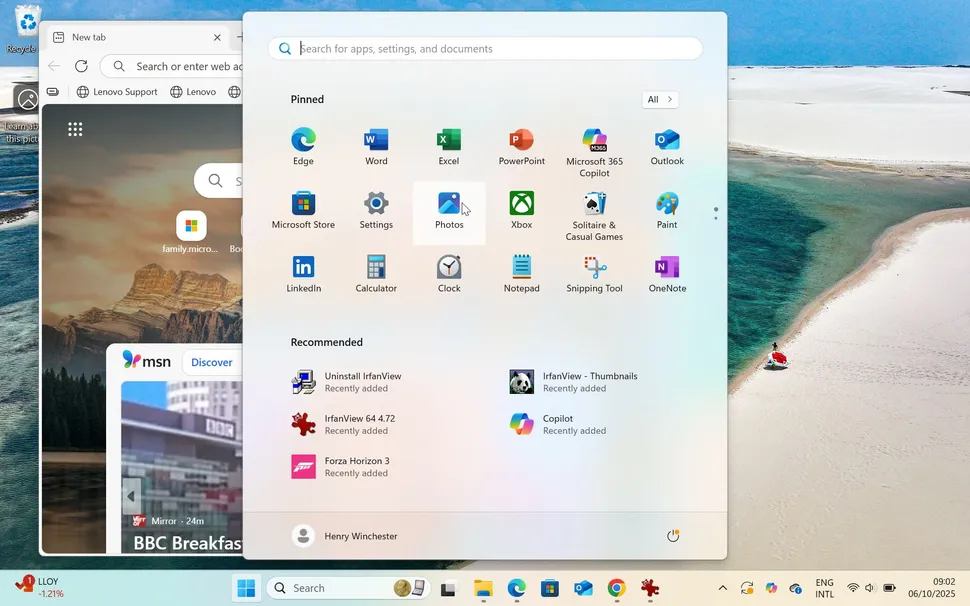
Windows 11’s new design reflects Microsoft’s push toward simplicity, elegance, and efficiency. Borrowing ideas from Apple’s macOS and Google’s ChromeOS, the operating system delivers a cleaner, more centered look — with rounded corners, subtle animations, and the Mica design language, which gently tints active windows with the color of your wallpaper.
Gone are the Live Tiles that once cluttered the Start menu. Instead, you’ll find a minimalist grid of apps and recommended items. The taskbar is centered, creating a balanced, modern aesthetic — though users can no longer move it to the sides or top of the screen.
This redesign isn’t just cosmetic. Microsoft has fine-tuned Windows 11 to use system resources more efficiently, offering smoother performance and better battery optimization. The combination of soft transparency, crisp typography, and fluid motion gives Windows 11 a premium feel — arguably the most attractive version yet.
Mastering Multitasking: Snap Layouts and Snap Groups
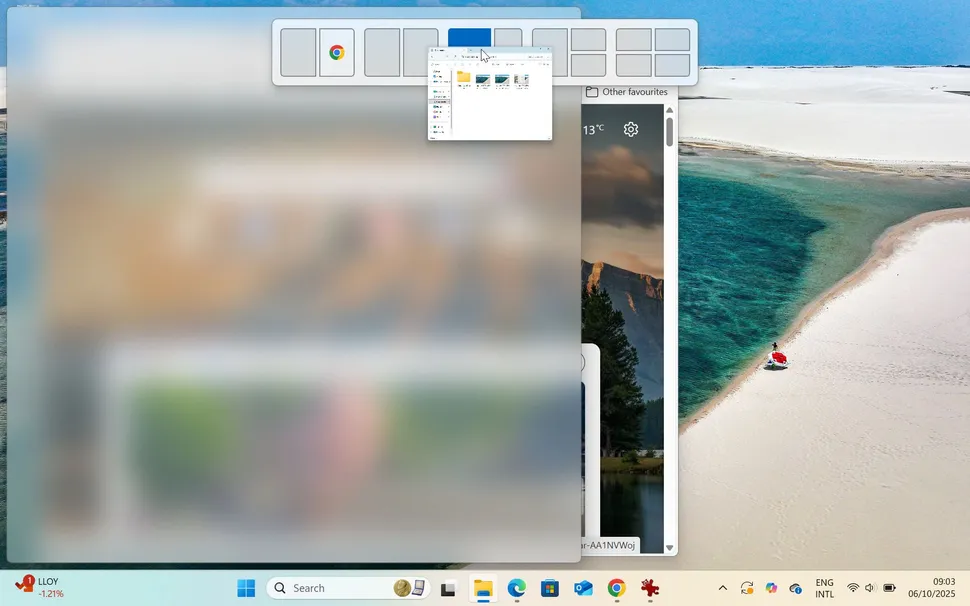
One of Windows 11’s biggest strengths lies in multitasking efficiency. Microsoft expanded its popular split-screen functionality into an intelligent system called Snap Layouts.
Drag a window to the top of your screen, and Windows 11 instantly suggests various grid options — such as side-by-side, stacked, or quadrant layouts. Once arranged, Snap Groups remembers these configurations. With one click, you can return to your customized workspace without rearranging anything.
Whether you’re editing a document, watching a video, or managing multiple browser tabs, these new tools boost productivity and make multitasking intuitive — especially for users with ultrawide or dual monitors.
AI at the Core: Copilot Takes Control
Microsoft’s AI assistant has evolved dramatically. Say goodbye to Cortana — and welcome Copilot, Windows 11’s integrated digital companion.
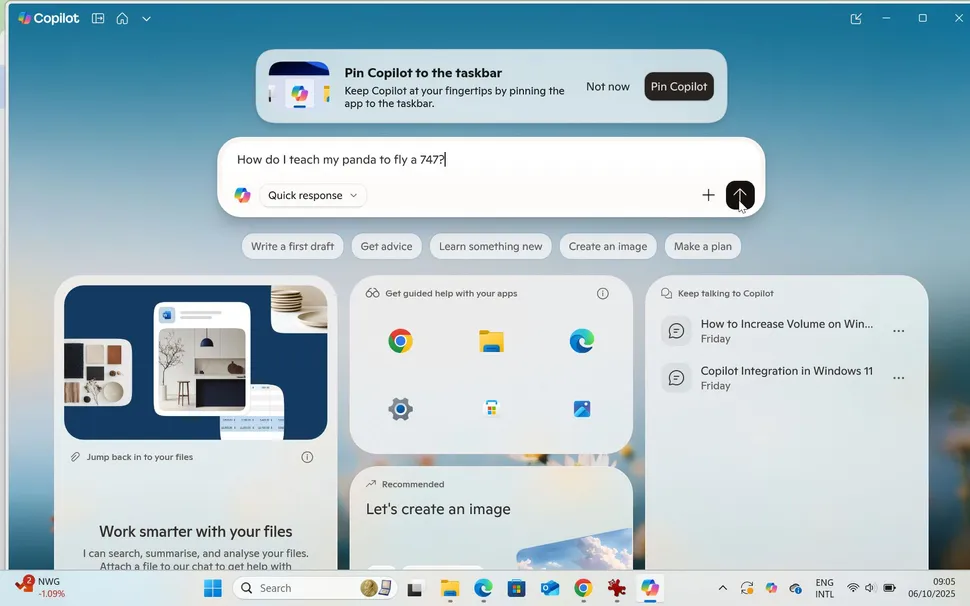
Unlike its predecessor, Copilot lives directly in the taskbar and operates system-wide. It understands context from your screen and can perform quick actions like toggling Bluetooth, adjusting brightness, or summarizing text.
The latest Copilot+ PCs go a step further. Equipped with Neural Processing Units (NPUs), these devices unlock deeper AI features such as Recall, which lets you find anything you’ve viewed or done on your computer using natural language commands.
Imagine asking, “Show me the PDF about marketing I read last Tuesday,” and instantly finding it — no searching through folders.
Another standout tool, Click to Do, overlays actionable options for selected text or images. Even classic apps like Paint now feature AI Cocreator, transforming text prompts and sketches into full-color artwork.
Together, these features show Microsoft’s clear vision: a Windows experience that’s proactive, personalized, and intelligent.
Gaming Elevated: Faster, Sharper, and More Immersive
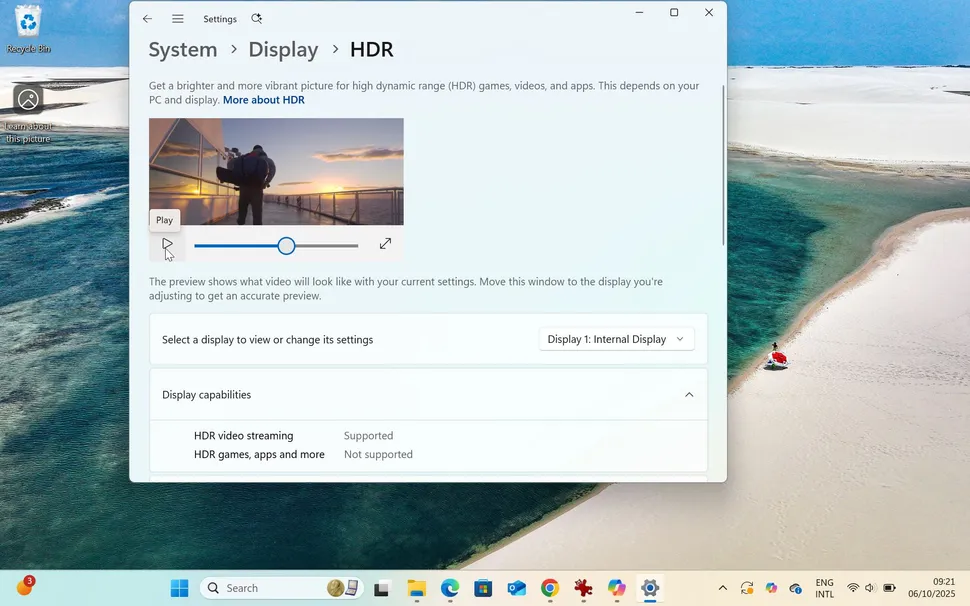
Windows has always been a favorite platform for gamers, and Windows 11 doubles down on that heritage.
Two standout features make gaming feel smoother and more visually impressive: Auto HDR and DirectStorage.
Auto HDR, originally introduced on Xbox, enhances lighting and color range in games that weren’t designed for HDR — giving older titles a modern visual boost. It also includes an intensity slider, letting players fine-tune brightness levels to their liking.
DirectStorage, another Xbox innovation, revolutionizes how games load. By allowing high-speed NVMe SSDs to communicate directly with GPUs, it dramatically cuts loading times and reduces CPU strain. That means faster startup, richer textures, and less waiting.
To top it off, AI-powered Auto Super Resolution boosts frame rates and sharpens graphics in compatible games, proving that Windows 11 isn’t just for work — it’s a gamer’s paradise.
Listening to Users: Microsoft’s Responsive Updates
Microsoft’s relationship with its users has evolved, too. Windows 11’s development feels far more community-driven than previous versions.
For example, when users complained about the missing taskbar search box, Microsoft quickly restored it. After backlash over privacy concerns surrounding Recall, the company reintroduced it as an opt-in feature within Copilot+.
This adaptive approach shows that Microsoft is learning from past missteps. Rather than enforcing rigid updates, it’s focusing on user feedback and flexibility — ensuring Windows 11 continues improving over time.
The Windows 11 you experience today will likely look even better tomorrow.
Upgrade or Stay Put? The Verdict
So, should you upgrade?
If your PC meets the requirements, the answer is a resounding yes. Windows 11 delivers a polished interface, tighter security, smoother performance, and deeper AI integration — all while staying familiar enough for long-time Windows users.
The new multitasking tools and gaming features alone make it worth the switch. Add in Copilot’s growing intelligence, and it’s clear that Windows 11 isn’t just an update — it’s the foundation of Microsoft’s AI-driven future.
For those unable to upgrade, Windows 10 will continue running until October 2025, but without security patches afterward. Using it beyond that point will expose your system to risks — making a hardware upgrade inevitable for most.
Ultimately, Windows 11 represents a confident leap forward. It combines innovation with elegance, performance with security, and familiarity with futuristic intelligence. Whether you’re a gamer, creator, or everyday user, Microsoft’s latest OS sets a new benchmark for what a modern computing experience should feel like.
Frequently Asked Questions:
What are the main differences between Windows 11 and Windows 10?
Windows 11 introduces a cleaner interface, centered taskbar, AI-powered Copilot assistant, improved multitasking with Snap Layouts, and faster gaming performance through Auto HDR and DirectStorage. Windows 10, while stable, lacks these modern design and AI integrations.
Can my computer upgrade from Windows 10 to Windows 11?
You can upgrade if your PC has a Trusted Platform Module (TPM) 2.0, Secure Boot, and at least an Intel 8th Gen or AMD Ryzen 2000 processor. Devices without these may not meet Windows 11’s strict security requirements.
Is Windows 11 better for gaming than Windows 10?
Yes. Windows 11 offers Auto HDR, DirectStorage, and AI-powered graphics optimization for faster load times and more vivid visuals, giving gamers a smoother, more immersive experience than Windows 10.
Does Windows 11 improve performance compared to Windows 10?
Windows 11 is designed to run more efficiently with better memory management, faster wake times, and enhanced battery life for laptops. Its streamlined interface also reduces system load, improving overall responsiveness.
Should I upgrade from Windows 10 to Windows 11?
If your PC meets the hardware requirements, upgrading is highly recommended. Windows 11 delivers stronger security, modern design, smarter AI tools, and better performance. Staying on Windows 10 after October 2025 may expose you to security risks as support ends.
What new AI features are available in Windows 11?
Windows 11 introduces Copilot, a built-in AI assistant that helps with tasks like summarizing text, adjusting settings, and generating creative content. It also includes AI-powered enhancements in Paint, Photos, and gaming performance.
What is the TPM 2.0 requirement in Windows 11?
TPM 2.0 (Trusted Platform Module) is a hardware-based security chip that protects sensitive data and ensures system integrity. It’s mandatory for Windows 11 to enhance protection against malware and ransomware.
Conclusion
Windows 11 marks a bold step forward in Microsoft’s evolution — blending speed, security, and AI-driven intelligence into a sleek, modern design. Compared to Windows 10, it offers smoother multitasking, enhanced gaming, and a more secure digital environment. While the stricter hardware requirements may limit some users, those who can upgrade will experience a faster, smarter, and more future-ready operating system.
